
Why Isn’t My Flashlight Working? Causes & Fixes 2026
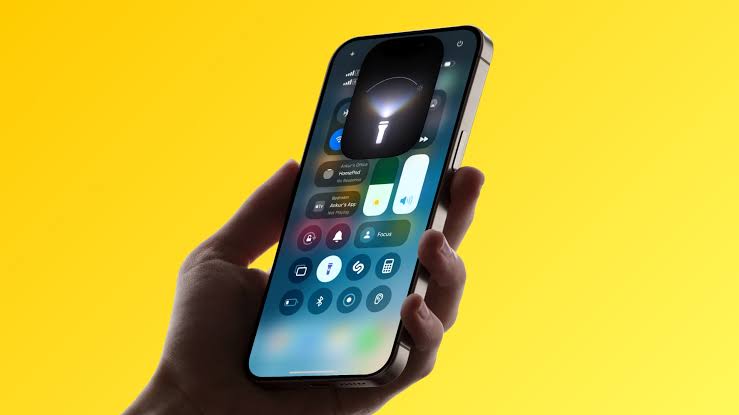
You reach for your phone in the dark, tap the flashlight icon, and nothing happens. If you are asking why isn’t my flashlight working, the cause is usually simple and fixable at home.
Most flashlight problems come from software glitches, battery settings, or temporary overheating rather than a broken phone. A few quick checks can often get it working again in minutes.
Why Isn’t My Flashlight Working?
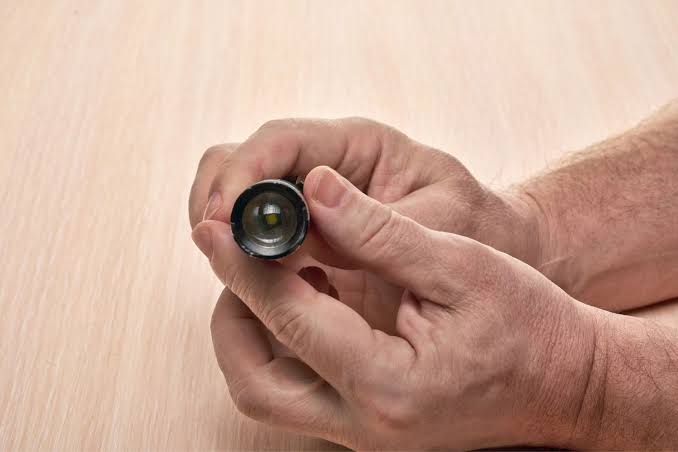
Your flashlight usually stops working due to low battery, Power Saver or Low Power Mode, an overheating phone, a software glitch, or a conflicting app using the camera. Restarting your phone, disabling battery saver, and letting your device cool down solve most cases.
How Does a Phone Flashlight Work?
Your phone’s flashlight uses the same LED component as the camera flash. This means the flashlight and flash share hardware, so a problem with one often affects the other.
If your camera flash also fails to fire during photos, that is a strong clue the issue is hardware or software related, not just the flashlight toggle itself.
Common Reasons Your Flashlight Isn’t Working
Several everyday issues can quietly disable your flashlight without any obvious warning.
1. Low Battery or Power Saving Mode
Power Saver Mode on Android and Low Power Mode on iPhone are designed to extend battery life. Both features commonly restrict flashlight access, even if your battery is not critically low.
2. Phone Overheating
The LED flash generates a lot of heat in a very small space. If your phone has been gaming, recording video, or sitting in direct sunlight, it may automatically disable the flash to protect internal components.
3. A Conflicting App
Apps that use your camera, such as video call apps or third-party flashlight apps, can sometimes lock the camera hardware. This prevents your default flashlight from turning on until the conflicting app is closed.
4. A Recent Software Update
After a system or app update, older flashlight or camera apps may not function correctly. This mismatch can temporarily block flashlight access until an update or reset fixes it.
5. Cached Data or App Glitches
Corrupted cache data in your camera app can interfere with flashlight functionality. Clearing this cache often resolves the issue without needing a full reset.
6. Physical Damage
Dropping your phone or exposing it to water can damage the LED flash itself. In this case, no software fix will restore the flashlight, and professional repair becomes necessary.
How to Fix a Flashlight That Isn’t Working
Work through these steps in order, since most people fix the issue within the first few.
- Restart your phone completely, not just the flashlight app
- Charge your phone to at least 20 to 50 percent battery
- Turn off Low Power Mode or Battery Saver Mode
- Let your phone cool down if it feels warm to the touch
- Close any apps currently using the camera
- Update your camera and flashlight apps to the latest version
- Clear the camera app’s cache and data
- Boot your phone into safe mode to rule out third-party app interference
- Restart your phone in normal mode once the flashlight works again
Android vs iPhone: Where to Check Settings
| Setting | Android | iPhone |
|---|---|---|
| Battery saving mode | Settings, then Battery, then Battery Saver | Settings, then Battery, then Low Power Mode |
| Camera app reset | Settings, then Apps, then Camera, then Clear Data | Reinstall or update the Camera app |
| Safe mode | Hold power button, then long-press Restart option | Not available; use a restart or reset instead |
| Factory reset | Settings, then System, then Reset options | Settings, then General, then Transfer or Reset iPhone |
When Is It a Hardware Problem?
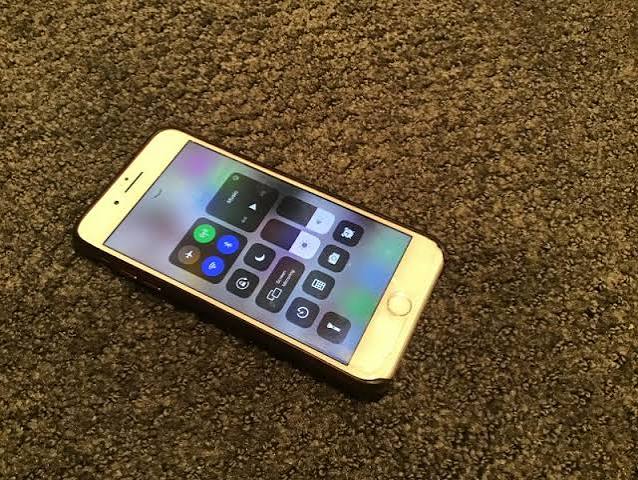
If none of the software fixes work, the issue may be physical damage to the LED flash. A few signs point clearly toward hardware failure.
- The camera flash also fails to fire during photos
- The flashlight worked fine until a drop or water exposure
- The LED appears visibly cracked or discolored
- The flashlight flickers inconsistently regardless of settings
In these cases, a professional repair technician can diagnose whether the LED, flex cable, or another component needs replacement.
Mistakes to Avoid When Troubleshooting
- Skipping the restart step, since it fixes many software glitches instantly
- Ignoring overheating warnings and continuing heavy phone use
- Jumping straight to a factory reset before trying simpler fixes
- Assuming a broken flashlight always means a broken phone
Key Takeaways
- Most flashlight issues are caused by battery saver settings, overheating, or a software glitch.
- The flashlight and camera flash share the same LED hardware, so problems often overlap.
- Restarting your phone and disabling power-saving modes fix the majority of cases.
- Persistent issues after software troubleshooting usually point to physical LED damage.
- A repair technician can confirm hardware failure through a diagnostic check.
Frequently Asked Questions (FAQs)
Why does my flashlight turn off by itself?
This usually happens due to overheating protection or a battery-saving mode automatically disabling the flash to conserve power or protect components.
Why doesn’t my flashlight work when my phone is hot?
When a phone overheats, it temporarily disables certain features, including the flash, to prevent damage. It should work again once the phone cools down.
Can a software update break my flashlight?
Yes, a recent update can sometimes conflict with the camera or flashlight app, though this is usually resolved with an app update or restart.
Why does my flashlight work but not my camera flash?
This can happen if a specific camera setting or app is misconfigured, even though the general LED flashlight function still works independently.
Will a factory reset fix my flashlight?
A factory reset can fix persistent software issues, but it should be a last resort after trying restarts, updates, and cache clearing first.
Why is my flashlight not working after I dropped my phone?
A drop can damage the LED flash or its connecting components, which usually requires professional repair rather than a software fix.
Does low battery affect the flashlight?
Yes, many phones automatically disable the flashlight when the battery is very low or when battery-saving mode is active.
Can another app block my flashlight from turning on?
Yes, apps actively using the camera, such as video calling apps, can temporarily prevent the flashlight from being accessed.
How do I know if my flashlight has a hardware issue?
If the flashlight and camera flash both fail to work after trying every software fix, the issue is likely hardware-related.
Why does my flashlight flicker instead of staying on?
Flickering can indicate a loose connection, physical damage, or in some cases, a battery that is struggling to supply consistent power.
Is it safe to use my flashlight for a long time?
Yes, but extended use generates heat, so the phone may automatically turn off the flashlight temporarily to prevent overheating.
Can water damage cause my flashlight to stop working?
Yes, water exposure can damage the LED flash or nearby circuitry, often requiring professional inspection and repair.
Why did my flashlight stop working after a screen replacement?
If a flex cable was disconnected or damaged during repair, the flashlight can stop functioning even though the rest of the phone works normally.
Do all phones use the same component for flashlight and camera flash?
Yes, most smartphones use a single LED for both the camera flash and the standalone flashlight feature.
Can I use a third-party app if my default flashlight isn’t working?
Yes, downloading a reputable flashlight app from your phone’s app store can serve as a temporary workaround while you troubleshoot further.
Conclusion
So, why isn’t your flashlight working? In most cases, it comes down to a battery-saving setting, a temporary overheating pause, or a small software hiccup rather than permanent damage.
Working through the fixes above in order should resolve the issue for the vast majority of phones. If the flashlight and camera flash both stay dark after trying everything, it is time to get your device checked by a professional.


