
How Do You Keep a Touch Screen Laptop Screen Clean?
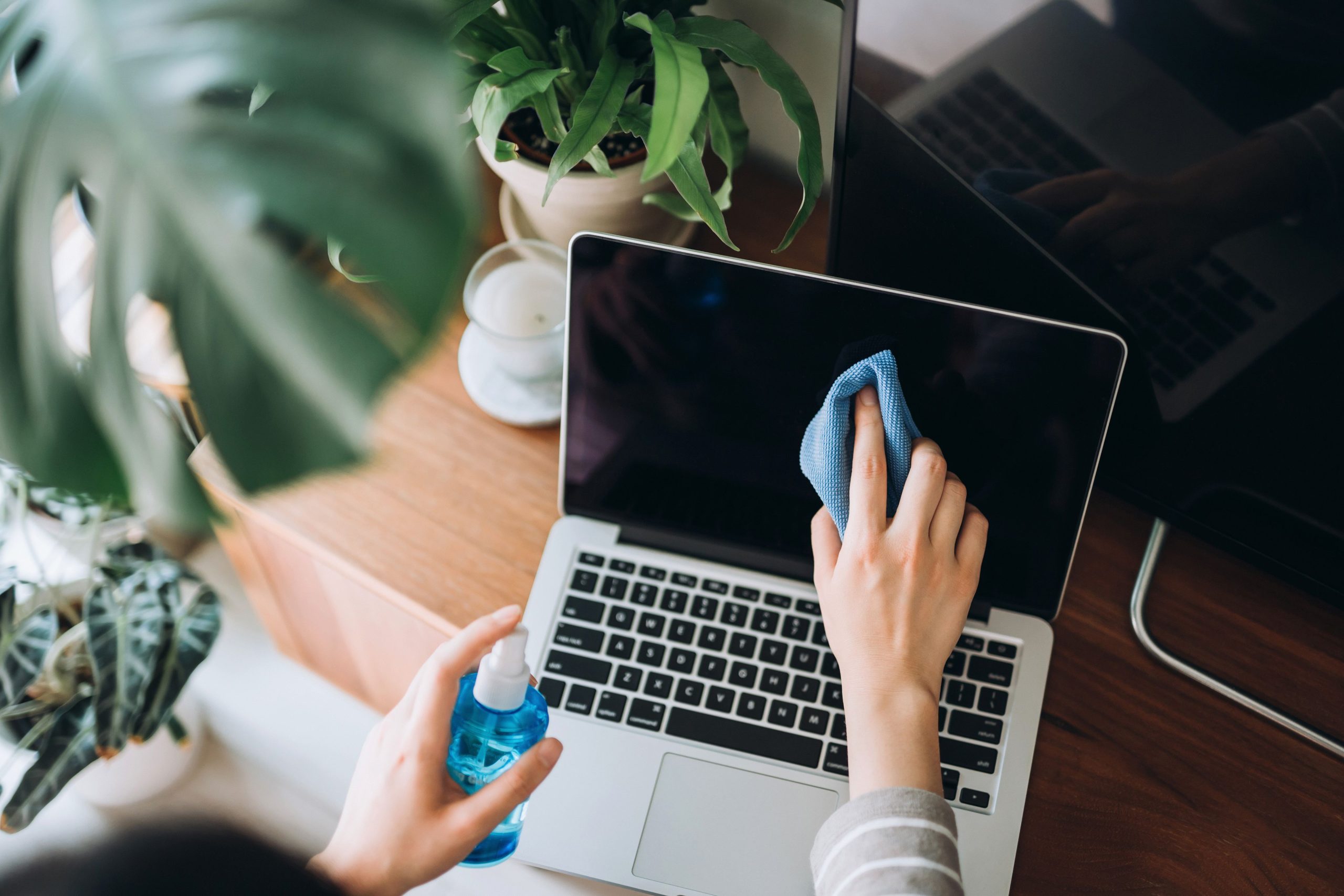
A touch screen earns its fingerprints honestly, and cleaning it is part of owning one rather than an admission of regret. The screen is the part of the laptop you touch most and see most, which makes it both the quickest to mark and the most worth protecting, and the difference between a panel that stays clear and one that collects a haze is mostly a matter of routine. The routine has three parts: a cleaning habit that removes the daily film, a method for the marks that survive it, and a set of avoidances that keep the screen unharmed while all of this happens. None of it is difficult, and almost all of the damage people do to screens comes from skipping the third part.

Routine Cleaning
The Right Cloth
On a laptop screen touch screen, the cloth does most of the work, and the right one is a clean microfibre cloth, the same kind used for glasses and camera lenses. It lifts the oil film that fingers leave without scratching the coating, which is the property that makes it safe where paper towels and tissues are not, because those carry wood fibres that leave fine scratches over time. The cloth should be folded so that a clean surface is always the one touching the panel, and grit trapped in a used cloth is the most common source of swirl marks. Keep the cloth for the screen alone, wash it without fabric softener, and let it dry naturally. A dry microfibre pass once a day is usually enough to keep ahead of the film, and it takes less time than reading this paragraph. Consistency matters more than thoroughness here, because fresh oil wipes away and old oil has to be worked.
Safe Cleaning Solutions
A screen you touch every day needs nothing more than a simple routine to stay clear. The 3.1K OLED on the MagicBook Art 14 2025 is a good example: its surface shrugs off fingerprints and stays sharp under any light, so routine upkeep never becomes a project. But when something does stick—makeup, food, a smudge that will not lift—the safe next step is a slightly damp cloth: water first, and if that fails, a cleaning solution made for screens with the laptop switched off. Spray the cloth, never the screen, because liquid that runs into the edges of the panel finds its way to places that cannot be dried. Wipe in one direction with light pressure, then finish with the dry side of the cloth. No special products, no extra steps—gentle, consistent, and only as wet as necessary is really the whole secret.
Dealing With Marks
Fingerprints and Smudges
Fingerprints are the everyday case, and they respond to the damp-cloth method above. What makes them stubborn is usually time, because skin oils set slightly and stop wiping off dry, so the sooner they are wiped the easier they leave. A light circular pass with the damp side followed by a dry pass removes almost all of them, and holding the laptop so light bounces across the surface shows whether any film is left. Regularity beats intensity: two minutes on Friday does more than an occasional deep clean, and the screen looks better all week for it.
Stubborn Stains
Stubborn stains, such as dried food, adhesive residue or ink, need patience rather than force. Dampen the area with the same screen-safe solution, let it sit for a moment to soften, and wipe again with the microfibre cloth rather than scrubbing at it dry. A soft brush can lift particles from around the bezel before they are dragged across the glass. The rule that protects the screen is simple: nothing sharp, nothing dry against a hard mark, and nothing that requires pressure, because pressure is how coatings get thinned in one spot. Most permanent damage to touch screens comes from this exact moment, when a small mark meets a large amount of impatience.
Avoiding Damage
Avoiding Harsh Chemicals
The damage list is short and worth memorising. Window cleaners, alcohol-heavy solutions, bleach-based wipes and anything with ammonia can strip the anti-reflective and oleophobic coatings that make a touch screen pleasant to use, and a stripped coating cannot be put back. Household sprays are formulated for glass without coatings, which is not the glass a laptop has. If a product does not say it is safe for screens, the screen is not the place to test the claim, and water on a microfibre cloth remains the fallback that cannot do harm.
Handling and Storage
Prevention is the quieter half of cleanliness. Closing the laptop before moving it keeps keyboard marks off the panel, and a thin microfibre layer between screen and keys does the same job when the lid travels closed in a bag. Clean hands obviously slow the fingerprints down, and storing the laptop away from food, spray bottles and sandy surfaces removes most of the accidents before they happen. A sleeve or a lid cover adds one more layer, and it also protects the panel from the keys during travel. None of these habits costs anything, and together they are the reason some two-year-old screens still look new.
Conclusion
A soft cloth, a little water, a few things avoided: that is the whole discipline of keeping a touch screen clean. The daily wipe prevents the film, patience handles the marks, and the avoidances protect the coating that makes everything else work. Ten minutes a week keeps the screen you touch and read all day as clear as the day it arrived, and the screen is the one part of the laptop worth that kind of attention, because it is the part doing the most work and taking the most contact.


