This Account Can No Longer Use WhatsApp Due to Spam – How to Fix & Prevent It!
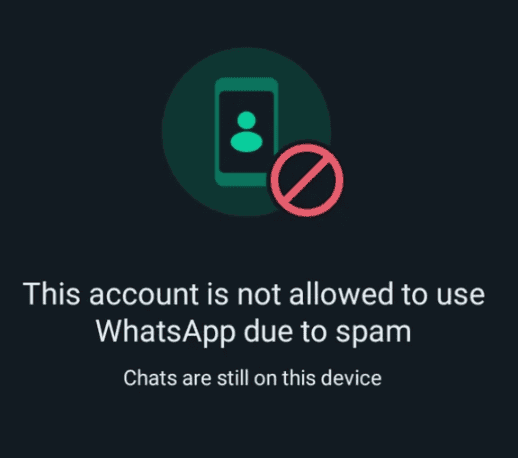
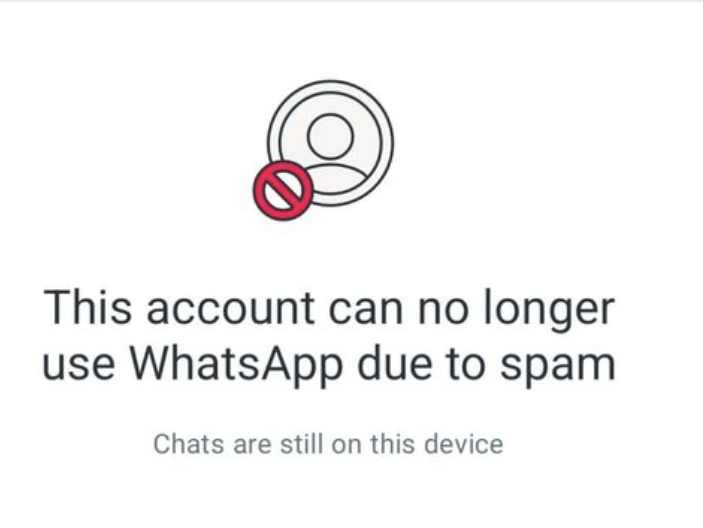
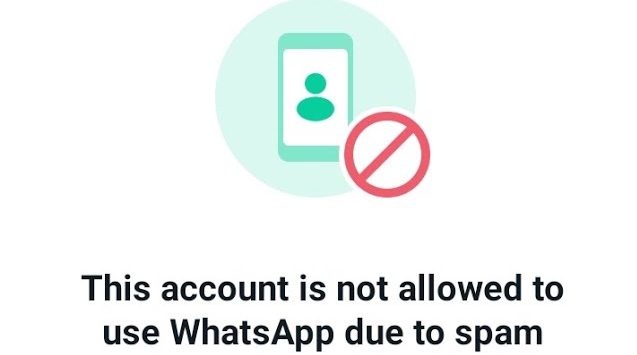
“This Account Can No Longer Use WhatsApp Due to Spam” is a common issue that many users face when their account gets restricted. WhatsApp has strict policies against spam and automated messaging, which can lead to a permanent or temporary ban.
If you’ve received this message, it means WhatsApp has flagged your activity as suspicious. However, there are ways to appeal, recover, and prevent this from happening again. We will explore why WhatsApp bans accounts, how to get unbanned, and the best practices to keep your account safe.
This Account Can No Longer Use WhatsApp Due to Spam
| Factor | Description | Solution | Prevention Tips |
| Reason for Ban | WhatsApp detects spam, bulk messaging, or automated behavior. | Contact WhatsApp Support to appeal the ban. | Avoid sending unsolicited messages or using automation tools. |
| Types of Bans | Temporary (few hours/days) or Permanent (no recovery). | If temporary, wait it out; if permanent, appeal or get a new number. | Follow WhatsApp’s Terms of Service. |
| How to Appeal | Email WhatsApp or use the in-app appeal option. | Provide a valid reason and request review. | Ensure no violation of guidelines before appealing. |
| Third-Party Apps | Using mods like GBWhatsApp, WhatsApp Plus leads to bans. | Uninstall mods and switch to official WhatsApp. | Only use the official WhatsApp app. |
| Bulk Messaging | Sending too many messages at once gets flagged. | Stop bulk messages and wait for review. | Use WhatsApp Business API for bulk messaging legally. |
| Forwarding Limits | Excessive message forwarding triggers spam detection. | Reduce the number of forwarded messages. | Follow WhatsApp’s forwarding limits. |
| New Account After Ban | Some bans are linked to phone numbers permanently. | Register with a new number if the ban is permanent. | Avoid previous mistakes with the new number. |
| Group Spam | Posting too many links in groups may lead to bans. | Remove spam links and request unban. | Avoid spamming groups with links or ads. |
| WhatsApp Support Response | Appeals take 24-72 hours for review. | Wait for an email confirmation from WhatsApp. | Provide honest reasons and details in appeals. |
| Multiple Reports | If many users report your account, it may be flagged. | Avoid suspicious activities that may lead to reports. | Engage responsibly and follow WhatsApp etiquette. |
Why WhatsApp Bans Accounts for Spam
WhatsApp enforces strict policies to maintain a safe and secure messaging environment. An account can be banned for spam due to the following reasons:
1. Sending Too Many Messages to Unknown Contacts
WhatsApp detects mass messaging to unknown contacts as spam. If too many people report your messages as spam, WhatsApp may permanently ban your account.
2. Using Third-Party WhatsApp Apps
Unofficial apps like GBWhatsApp, WhatsApp Plus, or YoWhatsApp violate WhatsApp’s Terms of Service. These apps offer extra features but pose security risks, leading to account bans.
3. Being Reported by Multiple Users
If several users report your account for sending spam, abusive content, or misinformation, WhatsApp may review and ban your account.
4. Sending Automated or Bulk Messages
Using bots, scripts, or automation tools to send mass messages violates WhatsApp’s policies, resulting in a ban.
5. Violating WhatsApp’s Terms of Service
Activities such as spreading fake news, hate speech, phishing links, illegal content, or impersonating someone else can lead to account termination.
6. Using WhatsApp for Commercial Spam
Sending unsolicited promotional messages, advertisements, or marketing content to users without consent is considered spam.
7. Suspicious Group Activities
Creating groups with misleading names, adding users without permission, or repeatedly changing group details can trigger spam detection.
How to Avoid WhatsApp Spam Bans
To prevent your WhatsApp account from being banned due to spam, follow these guidelines:
1. Avoid Sending Bulk Messages
Only send messages to contacts who have saved your number and engage with your messages.
2. Do Not Use Third-Party Apps
Always use the official WhatsApp application to avoid security risks and potential bans.
3. Respect WhatsApp’s Policies
Read and follow WhatsApp’s Terms of Service to ensure you comply with their regulations.
4. Request Permission Before Sending Promotional Messages
If using WhatsApp for business, obtain users’ consent before sending marketing messages.
5. Monitor Group Activities
Ensure that the WhatsApp groups you create or participate in follow community standards.
6. Avoid Spamming Contacts
Do not send repetitive messages, links, or promotional content without a valid reason.
How to Recover a Banned WhatsApp Account
If your account is banned with the message “This account can no longer use WhatsApp due to spam,” you can try these recovery steps:
1. Appeal the Ban
Send an email to WhatsApp support ([email protected]) explaining your situation and requesting a review.
2. Use the In-App Support Option
- Open WhatsApp and tap “Request a Review”
- Provide details and wait for WhatsApp’s response
3. Switch to WhatsApp Business
If your account was banned for promotional messages, consider using WhatsApp Business and following its guidelines.
4. Create a New Account
If recovery is unsuccessful, you may need to register a new number and follow WhatsApp’s policies strictly to avoid another ban.
Frequently Asked Questions About “This Account Can No Longer Use WhatsApp Due to Spam”
Why did my WhatsApp account get banned for spam?
WhatsApp bans accounts if they detect spam-like behavior, such as sending bulk messages, using automated bots, forwarding too many messages in a short time, or violating their Terms of Service. If you receive this message, your account may have been flagged for suspicious activity.
How can I recover my banned WhatsApp account?
If your account was mistakenly banned, you can appeal by contacting WhatsApp Support via email or the app. Open WhatsApp, enter your phone number and follow the appeal process. If WhatsApp determines it was an error, they will restore your account. Otherwise, you may need to register a new number.
How do I prevent my WhatsApp account from being banned?
Avoid sending unsolicited messages, using third-party mods (like GBWhatsApp or WhatsApp Plus), and forwarding excessive content. Stick to official WhatsApp guidelines and ensure your behavior aligns with their policies.
Can I use a new number if my WhatsApp account is banned?
Yes, if your account is permanently banned, you can register a new number. However, if you repeat the same activities that led to your previous ban, the new number may also be flagged. Always follow WhatsApp’s usage policies to avoid further restrictions.
Conclusion About “This Account Can No Longer Use WhatsApp Due to Spam”
Getting the message “This Account Can No Longer Use WhatsApp Due to Spam” can be frustrating, but it usually happens due to violations of WhatsApp’s policies. Whether it’s sending too many messages, using unofficial apps, or engaging in suspicious activity, WhatsApp takes strict action against spam.
If your account is banned, you should contact WhatsApp Support to appeal. Preventive measures such as following community guidelines, avoiding automation tools, and using only the official WhatsApp app can help keep your account safe.
If your account is permanently banned, you may need to use a new number, but it’s crucial to avoid repeating the same mistakes to prevent future restrictions. By understanding WhatsApp’s policies and using the platform responsibly, you can ensure a smooth experience without the risk of being banned.