Single Tick in WhatsApp: The Hidden Meaning & Fixes
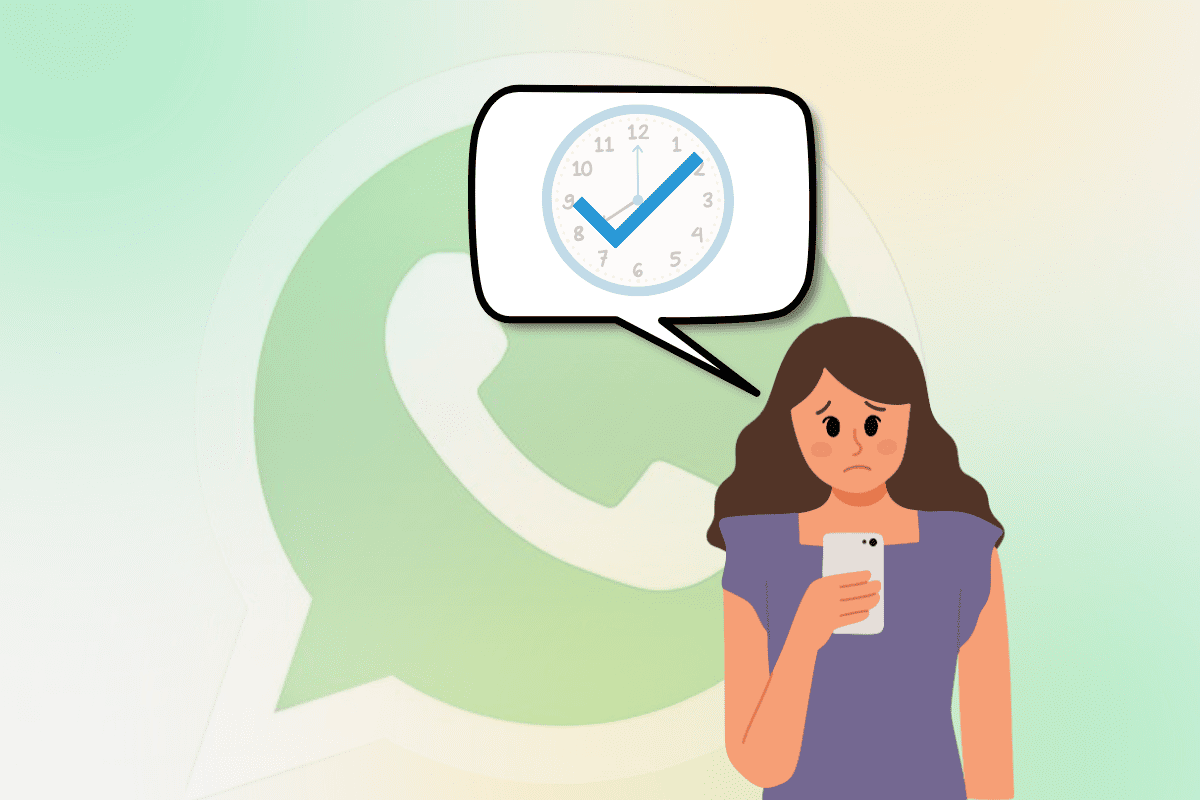
Single Tick in WhatsApp is a common status indicator that often confuses users. When you send a message and see only a single gray tick, it means the message has been sent but has not yet been delivered to the recipient.
This could be due to several reasons, such as the recipient being offline, having their phone turned off, experiencing network issues, or even blocking you. Understanding the Single Tick in WhatsApp can help users troubleshoot message delays and determine if there are connectivity issues.
Sometimes, a single tick may also occur due to WhatsApp server problems or background data restrictions on the recipient’s device.
If your messages are stuck on a single tick for too long, there are multiple ways to resolve the issue, such as checking your internet connection, updating WhatsApp, or confirming if the recipient is active. We will help you understand everything about the Single Tick in WhatsApp and how to fix it. 🚀
Single Tick in WhatsApp
| Aspect | Explanation |
| Meaning | A single tick means the message is sent but not yet delivered. |
| Common Causes | Recipient is offline, internet issues, phone switched off, blocked status. |
| Does it mean blocked? | Not always. It could mean the person is offline, but if it stays for too long, they may have blocked you. |
| Duration of Single Tick | Can last from a few minutes to several days, depending on the recipient’s availability. |
| WhatsApp Server Issues | If WhatsApp servers are down, messages may be stuck on a single tick until the issue is resolved. |
| Can I remove a single tick message? | Yes, you can delete it before the recipient comes online if the option is available. |
| Difference from Double Tick | A double tick means the message has been delivered; a single tick means it hasn’t. |
| Can a recipient read the message with a single tick? | No, they must receive the message first (double tick) before they can read it. |
| Troubleshooting Steps | Check internet connection, restart phone, confirm recipient’s status, update WhatsApp. |
| Best Way to Fix It | Ensure the recipient is online, verify your internet connection, or resend the message later. |
What Do WhatsApp Ticks Mean?
WhatsApp uses a simple tick system to indicate the status of your message. Here’s a breakdown of what each tick means:
✔ Single Tick (Grey): The message has been sent but not yet delivered.
✔✔ Double Tick (Grey): The message has been delivered but not yet read.
✔✔ Double Tick (Blue): The message has been read by the recipient.
If your message is stuck on a single tick, it means that the message is still in transit and has not reached the recipient’s device.

Reasons for a Single Tick on WhatsApp
There are multiple reasons why your message might be stuck on a single tick:
1. Recipient’s Phone is Offline
If the person you are messaging does not have an active internet connection, the message will not be delivered, and you will see a single tick.
2. Internet Connection Issues
If your internet connection is weak or unstable, WhatsApp may not be able to send the message properly, leaving it stuck on a single tick.
3. The Recipient Has Turned Off Their Phone
If the recipient’s phone is switched off, your message will remain on a single tick until they turn their device back on.
4. Recipient Has Disabled Data or Wi-Fi
Sometimes, people disable their mobile data or Wi-Fi intentionally, which prevents them from receiving new messages.
5. You Have Been Blocked
If you are blocked by the recipient, your message will stay on a single tick indefinitely and never be delivered.
6. WhatsApp Server Issues
In rare cases, WhatsApp might be experiencing server outages, preventing message delivery.

How to Fix the Single Tick Issue in WhatsApp
If your message remains on a single tick for a long time, here are some solutions:
1. Check Your Internet Connection
Ensure that you have a stable internet connection by switching between Wi-Fi and mobile data.
2. Restart Your Phone
Sometimes, a simple restart can fix minor network issues.
3. Verify If You Are Blocked
If you suspect you’ve been blocked, try calling the recipient on WhatsApp. If the call doesn’t go through, they might have blocked you.
4. Wait for the Recipient to Come Online
If the recipient’s phone is turned off or they have no internet, you will have to wait until they reconnect.
5. Check WhatsApp Server Status
If WhatsApp is down worldwide, you may need to wait until their servers are back online.
6. Update WhatsApp
Using an outdated version of WhatsApp can sometimes cause delivery issues. Updating the app might help.
7. Try Sending a Message to Another Contact
To check if the issue is with your WhatsApp or just one contact, try sending a message to another person.
Frequently Asked Questions About Single Tick in WhatsApp
Does a single tick on WhatsApp mean I am blocked?
Not necessarily. A single tick means the message has been sent but not yet delivered. This could be due to the recipient being offline, having their phone switched off, or experiencing network issues. However, if a single tick remains for an extended period and your calls to that person don’t go through, they may have blocked you. Another indication of being blocked is that their profile picture and last seen status are no longer updated for you.
How long can a message stay on a single tick?
A message can remain on a single tick for a few minutes, hours, or even days, depending on when the recipient reconnects to the internet. If they are in an area with no signal, have turned off their phone, or are avoiding WhatsApp, the message will stay on a single tick until they come back online. However, if it remains for an unusually long time, they may have blocked you.
Can a single tick happen due to WhatsApp issues?
Yes, sometimes a single tick occurs due to WhatsApp server problems. If WhatsApp is experiencing a global outage, messages might not be delivered even if both you and the recipient have a working internet connection. Checking WhatsApp’s official social media pages or websites like Downdetector can help confirm if there’s a problem with the app’s servers.
Can I remove a single tick from a sent message?
Once a message is sent, it cannot be unsent unless you delete it for both parties before it’s read. However, this depends on the time limit set by WhatsApp. If the recipient hasn’t received the message yet, you may be able to delete it before they come online, preventing them from ever seeing it.
Conclusion About Single Tick in WhatsApp
The single tick in WhatsApp is a key indicator of message status, meaning that your message has been sent but not yet delivered. While this often happens when the recipient is offline or has no internet access, it can also indicate that you have been blocked.
Understanding why a message stays on a single tick can help avoid unnecessary confusion or anxiety. Factors such as phone settings, network issues, or WhatsApp server outages can contribute to delayed message delivery.
If your message remains stuck on a single tick for too long, you can check your internet connection, restart WhatsApp, or confirm whether the recipient is active on other platforms. While there’s no way to force a message to be delivered, ensuring that your internet connection is strong and WhatsApp is updated can help avoid unnecessary delays.
Knowing these details ensures better communication and troubleshooting when using WhatsApp. 🚀