Best Customer Journey Mapping Tools to Boost UX
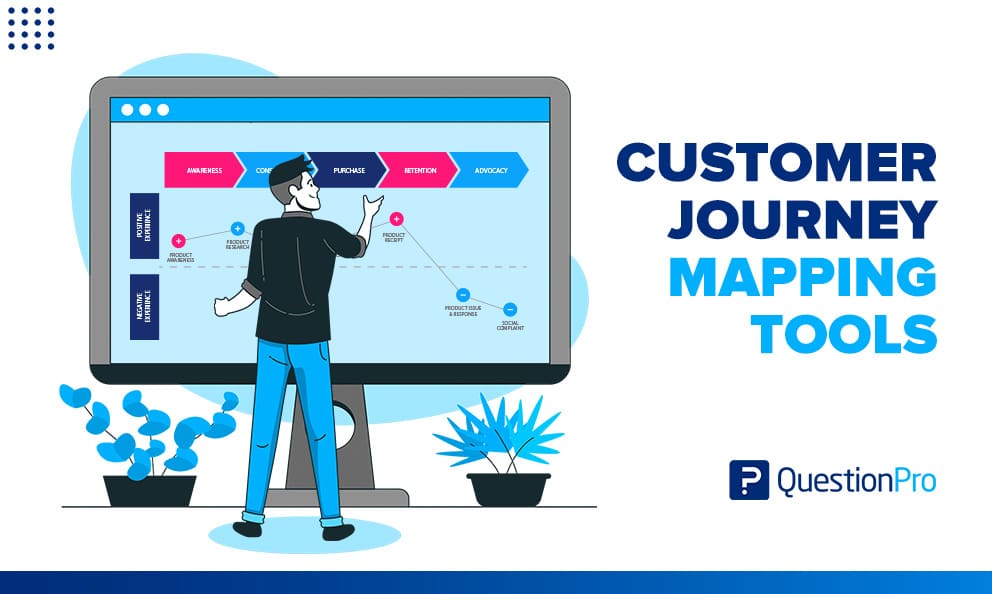
Creating exceptional user experiences (UX) starts with understanding how customers interact with your brand, from discovery to decision. That’s where customer journey mapping comes in. By visually outlining every touchpoint in a user’s interaction, businesses gain clarity, uncover pain points, and find opportunities to improve. But to make this process effective and efficient, you need the right customer journey mapping tools.
This blog explores the best customer journey mapping tools designed to enhance UX, foster team collaboration, and align your strategies with real user behavior.
Why Use Customer Journey Mapping Tools?
Customer journey mapping tools help teams visualize user behavior across different channels and timelines. Instead of relying on assumptions, these tools provide clarity on what users are thinking, feeling, and doing at each interaction point.
Here’s how they help boost UX:
- Identify friction in the buying journey
- Prioritize high-impact UX improvements
- Align marketing, design, and product teams
- Personalize touchpoints based on customer data
- Improve retention, satisfaction, and conversion rates
Let’s now explore the top tools businesses are using to achieve these outcomes.
1. Smaply
Smaply is built specifically for journey mapping. It allows teams to create detailed personas, journey maps, and stakeholder maps with drag-and-drop simplicity.
Best for: Enterprises and teams looking for structured UX analysis.
Key Features:
- Multi-layered journey maps
- Persona and stakeholder integration
- Collaboration and presentation modes
- Export options for PDF and PowerPoint
Smaply is one of the most comprehensive customer journey mapping tools for those who need both strategy and execution in one platform.
2. Lucidchart
While not a dedicated journey mapping tool, Lucidchart’s flexibility and diagramming power make it a popular choice for visual thinkers.
Best for: Teams already using Lucid for flowcharts and diagrams.
Key Features:
- Customizable templates
- Real-time collaboration
- Integration with Google Workspace, Atlassian, and Microsoft
- Easy export and sharing options
Lucidchart is ideal for quick mapping and brainstorming user flows and touchpoints.
3. Miro
Miro is a digital whiteboard tool that excels at team collaboration and design thinking. It offers journey map templates and a flexible workspace to design custom UX flows.
Best for: Cross-functional UX and product teams.
Key Features:
- Drag-and-drop journey templates
- Sticky notes, voting, and timers for workshops
- Integration with Jira, Slack, and Figma
- Collaboration with unlimited team members
If you’re conducting customer journey workshops or brainstorming sessions, Miro is one of the most interactive customer journey mapping tools out there.
4. UXPressia
UXPressia is designed specifically for UX and CX professionals. It provides detailed templates for customer personas and journey maps, along with data-driven insights.
Best for: UX teams seeking a user-focused journey mapping solution.
Key Features:
- Editable journey maps and personas
- Integration with analytics and real-time data
- Easy stakeholder sharing
- Custom branding and templates
UXPressia is perfect for those who want to merge qualitative and quantitative data into their journey maps.
5. Canva
While traditionally a design tool, Canva has emerged as a user-friendly option for journey maps, especially for marketers and creatives.
Best for: Solo marketers, freelancers, or small teams.
Key Features:
- Easy-to-edit templates
- Drag-and-drop icons and elements
- Wide design freedom
- Fast export for presentations
Though not specialized, Canva makes journey mapping visually engaging and easy for non-technical users.
6. Microsoft Visio
Microsoft Visio is a trusted enterprise tool for diagramming complex systems, including customer journeys.
Best for: Large companies using Microsoft products.
Key Features:
- Enterprise-grade features
- Integration with Microsoft 365
- Data-linked diagrams
- Custom templates and shapes
Visio is best suited for structured environments where compliance and security are top priorities.
7. Figma
Figma is more than just a design tool—it’s a collaborative interface design system. UX teams often use it to map user flows and visualize key moments in the user journey.
Best for: Designers and product teams.
Key Features:
- UI/UX design collaboration
- Journey flow components
- Interactive prototypes
- Design system integration
For UX-driven customer journey mapping tools, Figma offers creative freedom and strong design capabilities.
Choosing the Right Tool for Your Business
Not all customer journey mapping tools are created equal. The best one for you depends on your team size, goals, and current tools.
Ask these questions before deciding:
- Do we need real-time collaboration or solo workflows?
- How complex are our customer journeys?
- Do we require persona and stakeholder mapping?
- Is integration with other tools (CRM, analytics) important?
- What’s our budget?
Whether you’re a lean startup or an enterprise-level team, there’s a mapping tool that fits your UX needs perfectly.
Final Thoughts
Customer journey mapping is no longer a luxury—it’s essential for any business looking to improve customer experience. With the right customer journey mapping tools, you can step into your customer’s shoes, spot friction points, and deliver personalized, seamless experiences across every touchpoint.
If your goal is to improve UX and increase engagement, investing in tools like Nudge will pay off in long-term loyalty and brand success. Nudge helps you gain valuable insights and optimize every touchpoint in your customer journey.
Book a demo today and explore how our solutions can elevate your UX and create personalized experiences that resonate with your customers.