How to Get a Professional-Quality Headshot Without a Photographer
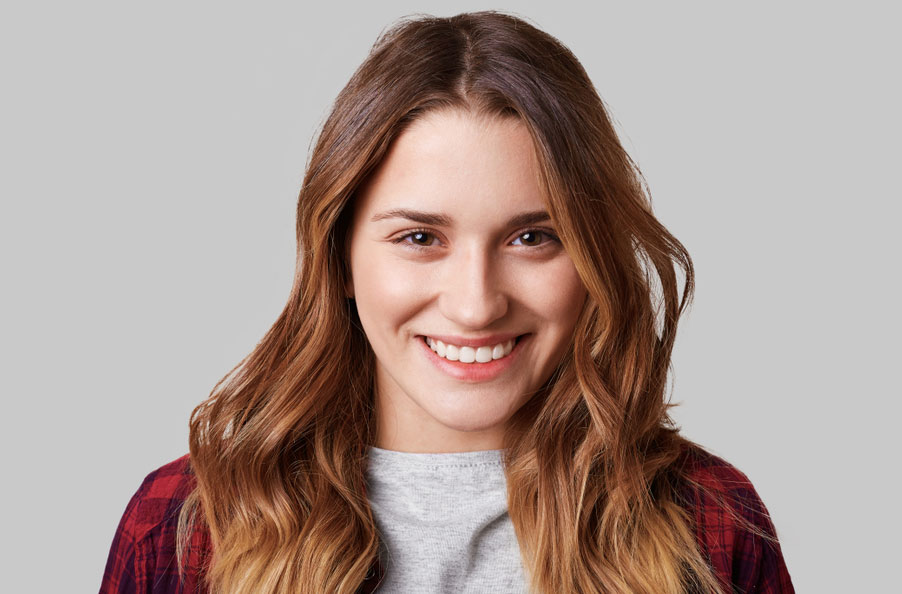
Ever felt like you need a professional headshot but don’t have the time (or budget) for a photographer? You’re not alone! In today’s digital world, having a polished headshot is essential. It’s often your first introduction to employers, clients, and professional networks. But the hassle of scheduling a photoshoot and the high costs can make it seem like an impossible task.
Luckily, you don’t actually need a professional photographer to get a high-quality headshot. Thanks to AI tools and a few clever techniques, you can create a stunning, professional-grade headshot from the comfort of your home. Ready to dive into the steps? Let’s get started.
Why You Need a Professional-Quality Headshot
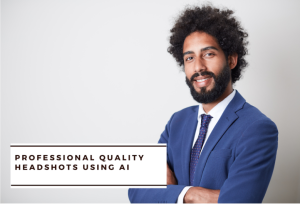
Your headshot is more than just a photo—it’s a reflection of your personal brand. It’s what people see on your LinkedIn profile, on company websites, and in any professional context. A polished headshot gives an impression of professionalism, reliability, and approachability.
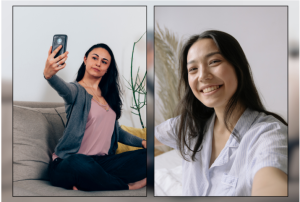
While selfies are great for social media, they may not cut it for professional use. That’s why capturing a high-quality headshot, even without a photographer, can make all the difference in how you’re perceived. Let’s explore how to do this with ease.
Choosing the Right Tools: AI vs. DIY
When it comes to capturing a professional headshot without a photographer, you have two main options:
- AI Headshot Generators: AI headshot tools like Headshot Photo can take your regular selfies and transform them into professional-quality images. They add natural backgrounds, enhance lighting, and give your photo that polished finish that usually requires a pro photographer.
- DIY Approach with Your Phone: You can take a high-quality headshot on your own with just your phone camera and a few key tricks. Good lighting, a steady hand (or tripod), and attention to details will go a long way.
Each option has its perks. AI tools are fast, convenient, and relatively affordable, while the DIY approach can work well if you’re willing to experiment with lighting and angles. You might even find that combining both approaches—taking a quality selfie, then enhancing it with AI—yields the best results!
Essential Tips for Taking Your Headshot at Home
Whether you’re using AI or sticking to the DIY route, the quality of your initial photos makes a huge difference. Here’s how to get it right from the start:
1. Set Up Good Lighting
Natural light is your best friend. Position yourself near a window where light can evenly illuminate your face. Avoid harsh overhead lighting and shadows, as these can create unflattering effects. Ideally, aim for a slightly overcast day, as direct sunlight can cause squinting and too much contrast.
2. Choose a Clean, Neutral Background
Your background should be simple and uncluttered. Blank walls, neutral-colored backdrops, or outdoor spaces with minimal distractions are ideal. Remember, the focus should be on you, not what’s behind you. If you plan to use an AI tool, it may allow you to choose different virtual backgrounds that suit your profession and style.
3. Pay Attention to Your Outfit
Dress in a way that aligns with your industry. Solid colors usually work best, as they’re less distracting and give a more polished look. Avoid busy patterns and overly bright colors that can steal focus from your face. Aim for something that you’d wear in a professional setting, whether that’s a business suit or a more relaxed, neat top.
4. Set Up Your Phone or Camera
You don’t need fancy equipment, but a few basics can make a difference. Use a tripod or prop your phone up on a stable surface to keep it steady. Position the camera slightly above eye level for the most flattering angle. Avoid holding the camera too low, as it can create an awkward perspective.
5. Experiment with Poses and Expressions
A great headshot reflects warmth and confidence. Try different poses—look slightly to the side, tilt your head slightly, or give a small, natural smile. Take multiple photos, experimenting with different expressions and angles. A genuine, relaxed look is usually best for professional settings.
How to Use AI for a Professional Look
Once you’ve taken a few solid photos, it’s time to elevate them with AI tools. AI headshot generators can transform your selfies into polished images that look professionally taken.
Step-by-Step Guide to Using an AI Headshot Tool
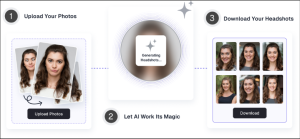
- Choose a Reputable AI Tool: Look for an AI headshot tool with good reviews and multiple background options. Platforms like Headshot Photo offer packages starting at $19, allowing you to create a variety of looks.
- Upload High-Quality Photos: Select the photos with the best lighting and angles. The sharper and clearer your uploads, the better the AI tool can enhance the details.
- Select Your Background Style: Many AI tools let you choose virtual backgrounds that are perfect for LinkedIn or corporate profiles. Choose a neutral or professional setting, like an office or library background, to keep it polished.
- Adjust and Download: Once the tool has processed your photo, review the results and make any minor tweaks if available. When you’re satisfied, download the final headshot.
Your Perfect Headshot in the Budget
Creating a professional headshot doesn’t have to be complicated—or costly! With the combination of a few DIY techniques and the magic of AI, you can capture a polished, LinkedIn-ready photo from home. No need for high-end equipment or a photographer; just a bit of patience, some natural light, and a handy AI tool can go a long way.
AI headshot generators, like Headshot Photo, make the process quick, affordable, and effective. So whether you’re freshening up your LinkedIn profile or creating a new look for your professional website, your perfect headshot is just a few clicks away.
Ready to give it a try? Experiment with your phone and an AI headshot tool, and see how easy it is to get a professional-quality photo without the fuss. Happy snapping!
FAQs
- How much does it cost to get an AI-generated headshot?
Most AI headshot tools offer packages starting around $19, making it an affordable option compared to professional photoshoots. - Can AI headshots replace professional photos?
AI headshots can closely match the quality of professional photos, making them an excellent choice for digital use on LinkedIn and websites. - What kind of photos should I upload for AI processing?
High-quality, well-lit photos with minimal distractions work best for AI processing. - Do AI headshots look realistic?
Yes! With advanced algorithms, AI headshots can look very realistic and polished. - Can I use an AI headshot for corporate profiles? Absolutely! AI headshots are perfect for LinkedIn, resumes, and other professional settings.