
Can People See When You View Their Instagram – Easy Guide 2024
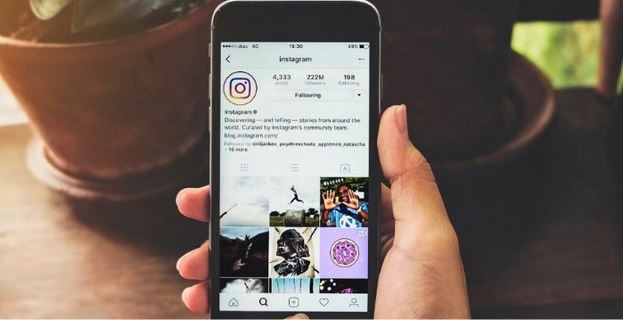
Instagram is one of the most popular social media platforms and many users wonder if people can see when they view someone’s profile. This curiosity arises from the desire to know who is interacting with their content. However, the short answer is no—Instagram does not allow users to see who has viewed their profile. Instagram has strict privacy policies in place to ensure a comfortable user experience protecting the identities of profile visitors.
Can People See When You View Their Instagram? – let’s find in this article. We will explore why Instagram does not show profile viewers and how you can still gauge who interacts with your content through Stories and Highlights. We’ll also discuss the benefits of switching to an Instagram business account for engagement insights, the risks of third-party apps that claim to reveal profile viewers and the advantages of using an Instagram Story Viewer by InstantStories tool to view Stories anonymously.
Let’s dive into these key points and learn more about how Instagram handles privacy.
Why Does Instagram Keep Profile Viewers a Secret?
One of the main reasons Instagram does not allow users to see who has visited their profile is privacy. If users were able to see who viewed their profiles it could discourage others from freely browsing and engaging with content on the platform. This could result in a negative user experience and lower overall engagement on Instagram.

Imagine if you knew every time someone checked your profile or content—it might make you feel uncomfortable. On the flip side if other users knew you were viewing their profiles you might be less inclined to explore their posts. Instagram’s privacy policy ensures that browsing remains anonymous to keep people more engaged with the platform.
Another reason Instagram avoids revealing profile viewers is that doing so could hurt its engagement metrics. Many users who don’t actively like or comment on posts still interact with ads which is critical to Instagram’s revenue model. If users were made aware of how their activity is being tracked they might feel less inclined to engage with content and ads thus impacting the platform’s overall business performance.
In short, while Instagram could easily show who views your profile, it chooses not to do so to protect user privacy and maintain a welcoming atmosphere for all users.
Captivating Audiences with Instagram Stories and Highlights
Although Instagram does not reveal who visits your profile there are still ways to see who is engaging with your content. Instagram Stories and Highlights offer users a limited way to track interactions.
Instagram Stories Viewer
When you post an Instagram Story it remains live for 24 hours before disappearing from your feed. During this period Instagram allows you to see who has viewed your Story. This is one of the few ways Instagram gives users insight into who is interacting with their content. To check who has viewed your Story follow these steps:
- Post an Instagram Story by tapping your profile icon.
- Once the Story is live tap on it and swipe up.
- You will see a list of people who have viewed your Story displayed in the Instagram Story Viewer section.
It’s important to note that this method only applies to Stories. It doesn’t tell you who has visited your profile or looked at other types of content such as regular posts.
Instagram Highlights
If you want to keep track of who views your Stories beyond the 24-hour limit you can save your Stories as Instagram Highlights. Highlights are collections of Stories that remain on your profile until you choose to remove them. Here’s how to save a Story to Highlights:
- Open the Story you want to save.
- Tap on the three dots at the bottom-right corner.
- Select “Highlight” and give it a name.
- The Highlight will now appear on your profile under your bio.
Just like regular Stories you can see who has viewed your Highlights by tapping on them and swiping them up. This gives you a way to track engagement on your Stories over a longer period.
Instagram Business Accounts and Engagement Insights
If you’re looking for more detailed insights into how people engage with your profile, switching to a business account is an excellent option. While it won’t show you specific usernames of profile visitors it provides valuable data on how your content is performing.
How to Switch to a Business Account?
Switching to a business account gives you access to Instagram’s Insights feature which offers metrics on profile visits reach and engagement. Here’s how to switch to a business account:
- Go to your Instagram profile.
- Tap on the three horizontal lines in the top-right corner.
- Select “Settings” and then tap “Account.”
- Scroll down and choose “Switch to Professional Account.”
- Select the “Business” option and follow the prompts to complete the setup.
Once you’ve switched to a business account you can access Insights by tapping the three lines again and selecting Insights. Here you can view metrics such as:
- The number of profile visits
- The reach of your posts
- Overall engagement (likes comments shares)
While business accounts do not provide the names of individual users who visit your profile they give a broader picture of how well your content is performing.
Unmasking the Hidden Threats of Third-Party Apps
You may come across third-party apps that claim to show you who views your Instagram profile. These apps promise to reveal the identities of your profile visitors but they often don’t work as advertised. Most of these apps are scams.
Why Are Third-Party Apps Dangerous?
Many of these third-party apps ask for access to your Instagram account. When you provide your login credentials you are giving them control over your account which can lead to serious security risks. These apps often steal personal information or use your account to follow others without your consent. Additionally, Instagram’s data policy prevents third-party apps from accessing private user information so any app claiming to reveal profile viewers is likely violating Instagram’s terms of service.
Using these apps can result in your account being compromised or worse you could lose access to it entirely. Instagram also has strict rules against the use of such apps which could result in your account being banned.
To stay safe avoid using third-party apps that promise to show who has viewed your profile.
Take Control of Who Sees Your Instagram by Going Private
If you’re concerned about privacy and want to control who can see your content, switching to a private account is the best option. By doing this only users you approve can follow you and view your posts and Stories. Here’s how to make your Instagram account private:
- Open the Instagram app and go to your profile.
- Tap the three horizontal lines in the top-right corner.
- Select “Settings” then tap “Privacy.”
- Under “Account Privacy” toggle the switch next to “Private Account.”
- Confirm by tapping “Switch to Private” in the pop-up box.
Once your account is private only your approved followers can see your content. This helps keep unwanted viewers out and ensures your posts are only visible to a trusted audience.
Explore the Magic of Instagram Story Viewer for Invisible Story Watching
For users who want to view Instagram Stories without the person knowing an IG Story Viewer tool is a great solution. These third-party tools allow you to view others’ Stories anonymously meaning your username won’t appear in their list of viewers.
Uncover the Unique Capabilities of Insta Story Viewer Tools
- Anonymous Viewing: View Stories without alerting the user.
- Access to Expired Stories: Some tools let you access Stories after 24 hours.
- No Account Needed: Some tools don’t require you to log in allowing you to browse without using your Instagram account.
While these tools are helpful for anonymous browsing keep in mind that they are third-party applications and not officially endorsed by Instagram.
Pros of IG Story Viewer Tools
There are several benefits to using an Instagram Story Viewer tool:
- Anonymity: These tools like Picuki.social let you view Stories without the original poster knowing which is perfect if you want to keep your activity private.
- Access to Expired Stories: Some Story Viewer tools allow you to view Stories even after they have expired. This can be useful if you missed a Story or want to revisit it.
- Download Stories: Certain tools offer the ability to download Instagram Stories directly to your device.
While these benefits are appealing, be cautious when using third-party apps. Make sure you choose a reputable tool that doesn’t require sensitive information like your Instagram login.
FAQs
Can Instagram users see when I view their profile?
No, Instagram does not let users see who visits their profile. This is to protect privacy and encourage more browsing on the platform.
- How can I see who views my Instagram Stories?
You can see who viewed your Instagram Stories by tapping on your Story and swiping up. A list of viewers will appear but this only works for Stories not for regular profile visits.
- What is an Instagram Story Viewer tool?
A Story Viewer tool lets you watch other people’s Stories anonymously. Your name won’t show up in the list of viewers and some tools also let you download Stories.
- Why doesn’t Instagram show who views profiles?
Instagram keeps profile viewers private to protect user privacy. Showing this information might discourage people from browsing freely and reduce engagement on the platform.
- Are third-party apps that show profile viewers safe?
No third-party apps that claim to show who views your profile are usually unsafe. They can steal your account information or compromise your privacy so it’s best to avoid them.
- How do I make my Instagram account private?
To make your Instagram account private go to your settings select “Privacy” and switch on the “Private Account” option. Only approved followers will then see your posts and Stories.
- What are the benefits of using IG Story Viewer tools?
The benefits of using Instagram Story Viewer tools include watching Stories anonymously, accessing expired Stories and downloading content without alerting the original poster.
In Summary
In conclusion, Instagram does not allow users to see exactly who views their profile but there are indirect ways to gauge engagement such as using Instagram Stories and Highlights. Switching to a business account provides more detailed insights into how users engage with your content though it won’t reveal specific visitors.
It’s important to be cautious when dealing with third-party apps that claim to show profile viewers as they can pose serious security risks. For those looking to browse Instagram Stories anonymously using an IgAnony Story Viewer tool can be a safe way to view content without leaving a trace.
Finally, if you’re concerned about your privacy, switching to a private account is the best option to control who can see your posts and Stories. Prioritizing your account security and privacy will help you enjoy Instagram while keeping your information safe.


