
Why an AI image editor fits the way social content gets made now
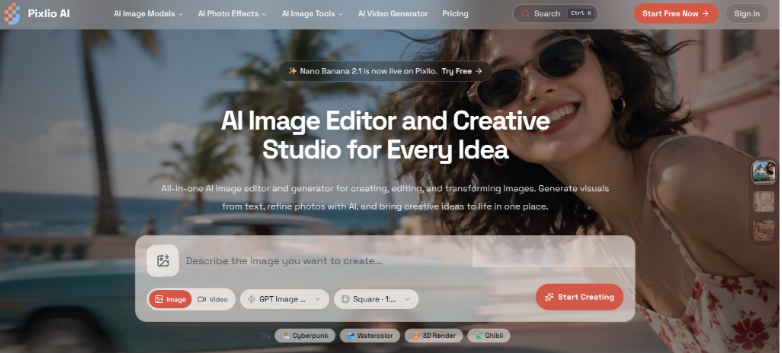
Creating visual content rarely starts with a blank canvas anymore. More often, there is already a photo, product shot, portrait, or earlier design that is almost right. The job is to turn that existing asset into something that fits the next post, campaign, profile, or video.
AI image editing is useful in exactly this kind of situation. Instead of learning a long sequence of manual tools for every small change, you can describe the result you want and work from there.
Editing by intent instead of menus
A prompt-based editor changes the starting point. You might upload a portrait and ask for a different background, change the lighting on a product image, remove unwanted text, or push an ordinary photo toward a more stylized look.
With the Pixlio AI image editor, the workflow starts from either an existing image or a text prompt. When editing, the uploaded image stays at the center of the process while the prompt explains what should change. Different AI models can also be selected depending on the kind of result you are trying to get.
This approach helps when you know what you want visually but do not necessarily know the traditional editing steps needed to produce it. For social content in particular, it can save time when a single image needs several versions for different uses.
The first result does not have to be the last
One useful part of Pixlio is what happens after an image is generated. You can send the result back into the editor for another revision instead of starting again from the original file.
You can also move that same result into other tasks. It can be upscaled, have its background removed, be extended beyond the original frame, or become the starting image for a video. Recent creations are kept available as well, making it easier to return to an idea and continue working on it later.
The editor therefore fits into a longer creative workflow instead of acting like a one-purpose filter. Pixlio is also an AI creative studio for image and video creation, so an image can move from an early concept to a finished asset or into motion without feeling like a completely separate project.
Purpose-built tools can be faster for specific jobs
A general editor makes sense when you want control through prompts, but some jobs are repetitive enough that a dedicated tool is simpler.
Pixlio includes case-based tools such as AI Professional Headshot for turning a suitable portrait into a more polished profile image, AI Skin Enhancer for portrait retouching, and Caricature Maker for creating a more exaggerated illustrated version of a photo. These give creators a more direct starting point when the desired outcome is already clear.
For someone managing social profiles or publishing regularly, this mix is practical. You can use the general editor for unusual requests, then switch to a focused tool when the task fits a familiar pattern.
Where this helps in everyday content work
The biggest time savings often come from ordinary revisions. A creator may need to turn one portrait into a square profile image, a vertical post, and a more playful version for another channel. A small business might reuse a product photo with a cleaner background or a different setting. Someone preparing a short video may first create or edit the opening frame, then use it as the visual starting point for animation.
AI still requires judgment. Faces, text, product details, and brand-specific elements can need another attempt or some manual correction. The benefit is that exploring alternatives becomes much easier.
For frequent content work, that can matter more than having hundreds of controls. A good workflow lets you get from an existing idea to several usable directions without rebuilding everything each time.


