Unlocking Global Success: A Comprehensive Guide to Zendesk Localization
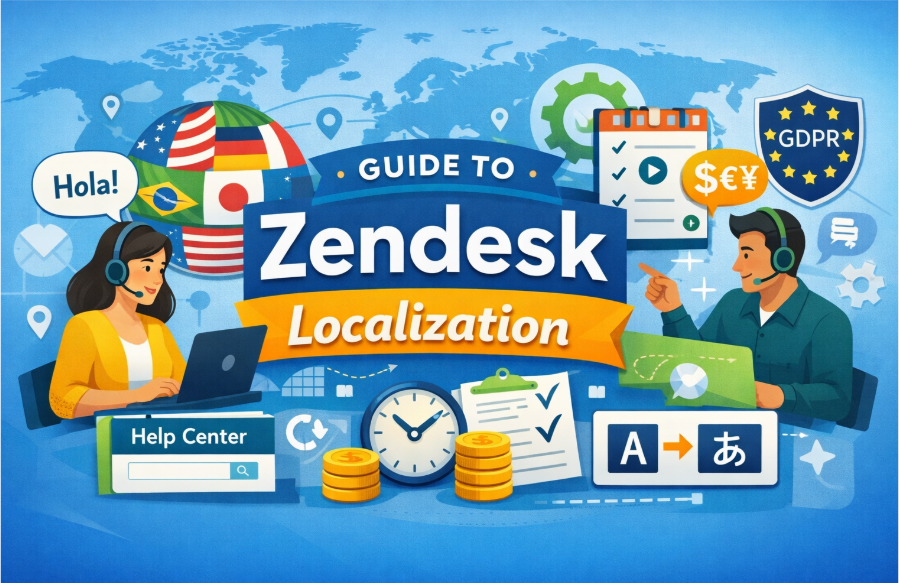
In a globalized world, businesses are more interconnected than ever. As companies scale and expand their reach, customer support must evolve to meet the needs of a diverse international audience. One of the most effective ways to achieve this is through localization – adapting your tools, platforms, and communication to suit the cultural and linguistic preferences of different regions.
Zendesk, a leading customer support software, is a critical tool for many companies around the world. However, for global teams to effectively use Zendesk, localization is essential. In this article, we’ll explore how to approach Zendesk localization, its benefits, challenges, and best practices to ensure that your customer service is tailored to your international customers.
What is Zendesk Localization?
Zendesk localization refers to the process of adapting the Zendesk customer service platform to cater to users in different regions, languages, and cultural contexts. This involves more than just translating the interface – it also includes localizing customer support content, workflows, reporting, and support tickets to align with the preferences and expectations of users from various countries.
Localization goes beyond language translation. It includes adjusting formatting, currencies, time zones, date formats, legal compliance requirements, and even the tone of communication to ensure relevance and relatability for local users.
Zendesk, being a versatile SaaS platform, provides several tools and features that can be localized. This ensures that businesses can offer seamless and personalized customer support experiences, no matter where their customers are located.
Why is Zendesk Localization Important?
1. Improved Customer Experience
Localization ensures that your customers interact with your brand in their own language, which builds trust and satisfaction. When users feel that a service understands their culture and communicates in their preferred language, they are more likely to engage, resolve issues faster, and remain loyal.
2. Enhanced Support Team Efficiency
By localizing Zendesk, support agents can respond to tickets in a way that resonates with customers. This creates a smoother and more efficient communication flow. Additionally, localizing workflows, support materials, and knowledge bases allows agents to manage and resolve queries faster.
3. Global Expansion
Localization is a key element of successful international expansion. As your business grows, expanding your support operations to include different languages and regions becomes critical. A localized Zendesk setup enables you to cater to a diverse customer base and effectively scale operations.
4. Increased Engagement
When a user is greeted in their native language and offered assistance in a culturally relevant manner, they are more likely to engage positively. This higher engagement leads to improved customer retention and satisfaction rates.
5. Cultural Relevance
Cultural differences can influence how users interpret information and interact with your support content. Zendesk localization allows you to adapt your support materials – including FAQs, knowledge base articles, and help center content – to meet the preferences and expectations of different cultural groups.
Key Elements of Zendesk Localization
1. Language Translation
The first step in Zendesk localization is language translation. Zendesk supports over 40 languages, and you can customize the platform’s interface to display in the language of your choice. This includes:
- Translating Zendesk’s user interface (UI) for both agents and customers.
- Localizing customer-facing support pages, including help articles, ticket forms, and automated responses.
You can use Zendesk’s built-in translation features or integrate third-party translation tools to ensure accuracy and consistency in your communications.
2. Time Zones and Date Formats
Localizing Zendesk for global teams requires managing time zones and date formats. When dealing with customers from different regions, it’s essential to adjust the time and date display settings based on the customer’s time zone.
Zendesk allows you to set up time zone preferences for both your agents and customers, ensuring that all communication, including response times and service level agreements (SLAs), is aligned with the customer’s local time.
3. Currency Formatting
For businesses that handle transactions or subscription-based models, localization includes formatting currencies according to regional standards. Zendesk supports localization of currency and pricing in multiple regions, so your international customers see prices in their local currency.
4. Legal Compliance
Each region has its own set of regulations when it comes to customer data protection, privacy, and communication practices. For example, the European Union’s General Data Protection Regulation (GDPR) requires that businesses handle customer data according to strict privacy standards.
When localizing Zendesk, you need to ensure that all legal requirements are met, including the storage and processing of customer data. This can also involve ensuring that your support content adheres to local privacy policies.
5. Support Channels and Communication Styles
Different regions have different preferences when it comes to communication methods. Some customers may prefer live chat, while others might opt for email or social media channels. Zendesk allows businesses to set up various support channels, but it’s important to customize your communication style based on the region.
For example, some cultures may prefer formal communication, while others might be more comfortable with informal, friendly messaging. Zendesk’s customization options enable you to adjust the tone of your responses to match these cultural preferences.
Best Practices for Zendesk Localization
Use Zendesk’s Multi-Language Functionality
Zendesk provides native support for multiple languages. You can configure your account to serve customers in different languages, allowing them to submit support tickets in their preferred language. Additionally, you can create multilingual help center articles and knowledge base content to ensure that customers have access to relevant information in their language.
Maintain a Consistent Localization Strategy
When localizing Zendesk, it’s important to establish a consistent localization strategy that can scale with your business. This means standardizing processes for language translation, time zone management, and content localization across all customer touchpoints. Consistency helps create a seamless experience for both customers and support agents.
Collaborate with Local Teams
If your company has local teams in different regions, involve them in the localization process. They can provide valuable insights into cultural preferences, regional terminology, and local customer expectations. This collaboration ensures that your Zendesk instance aligns with local needs and nuances.
Test Localized Content
Before rolling out your localized Zendesk setup, ensure that all content – from ticket forms to knowledge base articles – has been tested for accuracy and relevance. This testing phase helps identify potential issues with language or formatting, ensuring that your customers have a smooth and positive experience.
Continuous Improvement
Localization isn’t a one-time task; it’s an ongoing process. As you expand into new regions or make changes to your support processes, continue to update and refine your Zendesk localization. Solicit feedback from local teams and customers to identify areas of improvement and ensure your support experience remains relevant.
FAQs about SaaS Localization
What is SaaS localization?
SaaS localization is the process of adapting a software-as-a-service product to suit the specific needs of users in different regions. This involves translating content, adjusting formatting, and complying with local regulations to provide a seamless experience for international users.
Why is SaaS localization important?
SaaS localization ensures that users from different regions can use your product in their preferred language and cultural context. It improves user satisfaction, enhances engagement, and allows businesses to expand their reach into new markets.
How do I localize Zendesk for my business?
To localize Zendesk, you need to adjust the platform’s language, support content, time zone settings, currency formatting, and legal compliance according to the regions you’re serving. Zendesk offers built-in localization features, and you can also integrate third-party tools for more advanced localization.
What are the challenges of SaaS localization?
The main challenges of SaaS localization include ensuring accurate translations, managing multiple time zones and currencies, maintaining cultural relevance, and complying with regional legal requirements. It’s also important to keep localized content consistent as your business grows.
What tools can assist with SaaS localization?
Several tools can assist with SaaS localization, including Crowdin, Transifex, and Lokalise. These tools integrate with platforms like Zendesk to streamline translation management and ensure consistency across all customer-facing content.
Final Thoughts
Zendesk localization is an essential component of any global customer support strategy. By localizing your Zendesk instance, you can enhance the customer experience, improve efficiency, and ensure that your business is ready to scale internationally. With the right approach, Zendesk localization can help you build stronger relationships with your customers, no matter where they are in the world.